
Help
What the free hours cover, what happens when they run out, how a guest joins, what is kept, the iPhone, cancelling, and how to reach a person.
Short answers to what people ask once they have started. If yours is not here, write to a person: one address, and a reply inside two working days.
Questions and answers
- What do the 5 free hours cover?
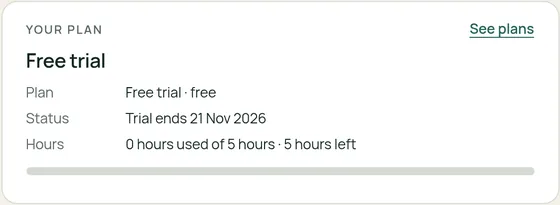
- Any conversation, voice or video. A voice session bills the time you translate; a call bills the time the room was open, to whoever started it. A guest spends nothing, and an hour of video costs an hour of voice. The 5 hours come once, inside a 14-day window, with no card. Open the translator or start a call.
- What happens when the 5 hours run out?
- Translation stops until you pick a plan. The account locks, and nothing can be charged, because the trial never asked for a card. The hours are a one-time grant: they do not stretch past the 14-day window. The plans, and what each one includes.
- Does the other person need an account?
- No. You start the call and send the link; they open it, type a name and join. No account, no password, no app, no hours of their own. The link exists the moment you start a call.
- Is anything recorded?
- Not the audio. The microphone goes from the browser to the speech service over a live, encrypted connection and is never written to storage. The written lines are different: captions are kept for 24 hours so the people in the call can read, copy or download them, then deleted. A shared transcript link stops working after 2 hours, 8 at most. The privacy policy states both, and every cookie the site sets.
- Does it work on an iPhone, in Safari?
- Yes. entendi is a web page, so there is nothing to install. iOS only starts the microphone inside a tap, so press the mic or the start button instead of waiting. If you change apps or lock the screen, iOS takes the microphone back and the conversation waits for you to continue. Before iOS 16.4 the page cannot keep the screen awake, so a long video call may dim. Start the call from here.
- How do I cancel?
- From your account: open the plan panel and choose Cancel plan. It cancels at the end of the period, so what you paid for stays usable until then, and the account locks instead of renewing. The card and the invoices live behind Manage billing, on the payment provider's page. Your account.
- How do I reach a person?
- Write to support@entendi.ai. A person reads every message and answers within two working days. The contact page says what to include so the first reply is the useful one.
- Do I need to install anything?
- No. The page is the whole product: a browser tab on a laptop or a phone, nothing to download. It needs a connection while you talk — there is no offline mode — and pressing the mic is the whole setup.